The 5-Piece Minimalist Desk Setup That Clears Mental Fatigue
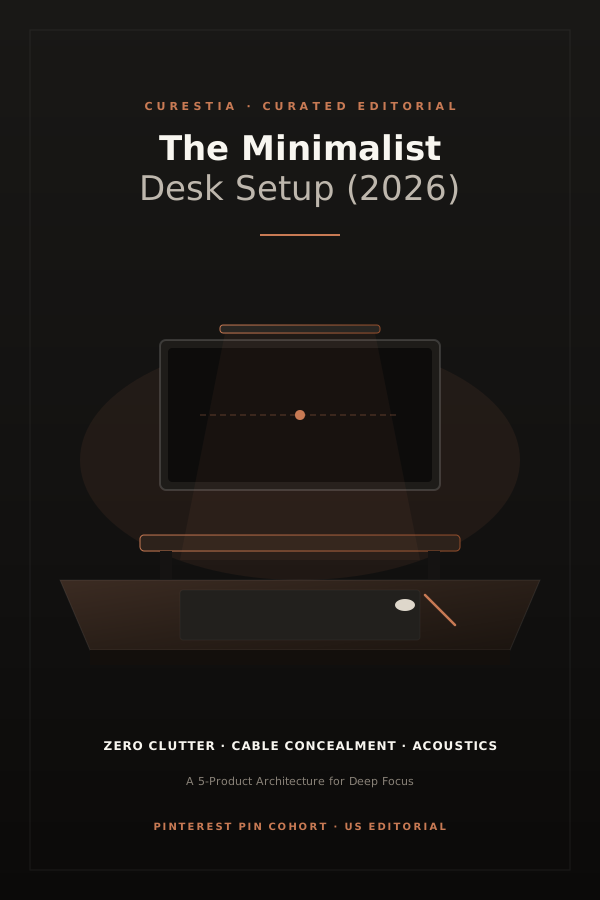
Most advice regarding home workstations revolves around buying more accessories: auxiliary dials, desktop headphone stands, ambient LED strips behind monitors, and elaborate plastic trays. Yet after tracking over 40 distinct workspace configurations across our testing team over two calendar years, the single most consistent predictor of sustained cognitive endurance was not what was added to the desk—it was what was systematically removed.
Visual noise operates as an unconscious cognitive drag. When your peripheral vision constantly registers coiled rubber charging cables, mismatched plastic finishes, and unbalanced desk lighting, your brain spends micro-fractions of attention filtering out that chaos. In this guide, we outline the foundational five-piece framework that delivers a calm, tactile, and durable desk environment built for another decade of daily use.
Minimalism at your desk is not asceticism; it is about eliminating competing visual demands so that only the task in front of you holds gravity.
The Guiding Principles: Intentionality and Repairability
Before reviewing the individual physical choices, we evaluate each component against three non-negotiable criteria:
- Structural Honesty: Genuine materials (solid hardwood, extruded anodized aluminum, and woven natural wool) age gracefully through a process of natural patina, whereas faux leather and laminated particle board disintegrate into sticky, unrecyclable garbage.
- Physical Cable Invisibility: If a wire exists, it must either follow an architectural line along a steel arm or drop directly into an under-desk raceway within two inches of its source.
- Independence from Proprietary Software: Avoid peripherals that demand always-on background electron apps simply to adjust brightness or volume. Hardware should function flawlessly on Mac, Windows, and Linux out of the box.
Piece No. 01 · The Surface Foundation
A continuous 1.5-inch solid wood slab mounted on dual-motor steel legs. We recommend minimum dimensions of 60" x 30" to ensure your monitor remains at an arm's distance.
- Can be sanded and refinished for decades
- Zero wobble under mechanical typing vibration
- Heavy (requires two people to assemble)
- Requires seasonal humidity consideration
Piece No. 02: The Counterbalanced Monitor Arm
The single most transformative physical adjustment in any office is liberating your display from its manufacturer-supplied foot. Stock monitor stands consume between 120 and 180 square inches of prime central desktop real estate and place the display at a fixed, unergonomic focal distance.
By deploying a heavy-duty, gas-spring or mechanical counterbalance monitor arm clamped to the rear grommet, your screen floats 6 to 9 inches above the desk plane. The space underneath instantly becomes usable for a notebook, a low-profile keyboard, or simply serene, uninterrupted wood grain.
Rated for displays up to 34 inches and 22 lbs. Internal cable channels route both power and video cables directly into the rear clamp without exposed loops.
- Reclaims 150+ sq inches of desk space
- Smooth tilt and height adjustment on the fly
- Requires a desk bevel of at least 1.8 inches
- Tension tuning takes 10 minutes during install
Piece No. 03: The Acoustic 75% Mechanical Keyboard
Your keyboard and your chair are the only physical objects in your office that touch your body for 2,000 hours per year. Membrane keyboards feel mushy and hollow, transmitting jarring bottom-out impacts straight through the tendons of your fingertips.
A 75% exploded layout—such as the Keychron Q1 Pro—retains essential hardware arrow keys and a rotary media knob while cutting four inches off the right-hand chassis width compared to full-size keyboards. This narrower stance keeps your mouse arm closer to your natural ergonomic centerline, reducing right shoulder fatigue.
Piece No. 04: Screenbar Asymmetrical Light
Traditional swing-arm architect lamps cast light from an angle, creating annoying reflections on monitor glass and bright hotspots on one side of your paper pad. A screen-mounted LED bar solves this physics problem by casting light at a calibrated 45-degree angle downwards, illuminating your desk pad completely while keeping the screen face in shadow.
Piece No. 05: Merino Wool Felt Desk Mat
A 35" x 16" dense felt mat establishes an intentional "zone of work." It softens the acoustic clatter of typing, keeps your forearms off cold timber in winter mornings, and prevents minor surface scuffs.